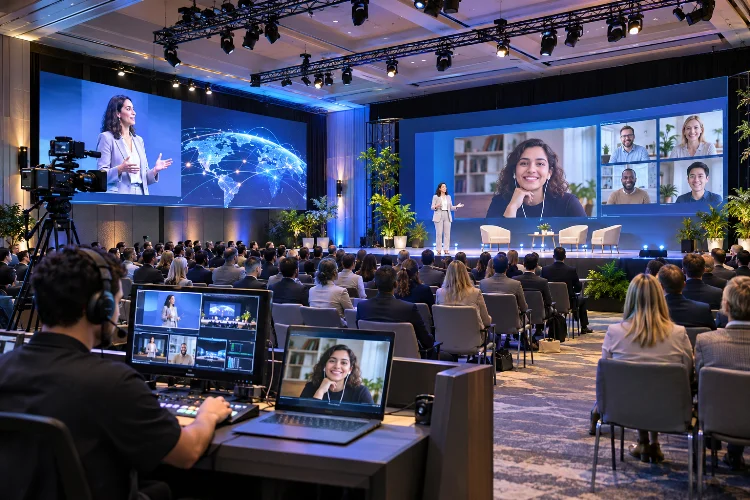
Imagine attending an exciting technology conference where half the audience sits inside a packed convention center while thousands more watch from home.
The speakers are excellent, the presentations look polished, and everything appears perfectly organized. But there’s one problem.
Remote attendees feel like they’re watching someone else’s event rather than participating in their own experience. Advanced Hybrid Event Design addresses this disconnect by creating meaningful interactions between physical and digital audiences.
With thoughtful planning, accessible technology, and coordinated engagement tools, organizers can build experiences where location doesn’t determine how involved someone feels.
Understanding the Challenges of Hybrid Event Experiences
Hybrid events combine two environments that behave quite differently.
Physical attendees experience room energy, spontaneous conversations, and direct access to speakers. Online participants depend on cameras, microphones, digital interfaces, and reliable internet connections.
Simply streaming a presentation doesn’t automatically create an equal experience.
For example, an onsite audience may hear a question from the back of the room while virtual viewers struggle to understand what’s happening.
Organizers need to design interactions for both groups rather than treating online attendance as an additional feature.
Microsoft’s guidance on inclusive hybrid meetings emphasizes creating opportunities for participants to contribute regardless of their location.
That principle provides a useful foundation for designing larger conferences and corporate gatherings.
Building a Unified Experience Across Physical and Digital Spaces
One of the most important goals of hybrid event planning is making both audiences feel connected to the same experience.
This starts with creating an agenda that supports participation from multiple locations.
Designing Shared Event Moments
Consider a business summit with 800 attendees at the venue and 4,000 joining remotely.
Instead of organizing seperate activities for each audience, planners could introduce shared polls, interactive questions, and collaborative challenges.
Both groups can respond through the same event application, with results appearing on venue screens and digital dashboards.
This creates a sense of collective participation.
However, organizers should remember that online video can arrive later than what happens onstage.
Interactive activities need timing adjustments so remote viewers can respond before results are revealed.
Amazon IVS provides timed metadata capabilities that can synchronize interactive prompts with video playback.
Such tools help keep participation aligned even when streaming delays vary.
Creating Engagement Opportunities for Every Attendee
Audience engagement becomes more complicated when people participate through different channels.
Someone sitting near the stage might raise a hand immediately, while a remote attendee must submit a question through an application.
Combining Questions, Polls, and Digital Reactions
A shared question-and-answer system helps reduce this difference.
Online attendees can submit questions while venue participants use mobile devices to join the same discussion.
Moderators can organize submissions by topic and highlight questions relevant to the current presentation.
Live polling works particularly well when speakers ask participants to evaluate ideas or share professional experiences.
Imagine a marketing conference where attendees vote on the biggest challenge facing their industry.
Displaying combined results encourages everyone to recognize that they’re contributing to one event.
Digital reactions can also help speakers understand audience sentiment beyond the physical room.
The important thing is making these features easy to discover and use.
Designing Networking That Connects Both Audiences
Networking is often the biggest advantage of attending conferences in person.
People naturally meet during coffee breaks, workshops, and informal conversations.
Virtual attendees don’t have the same opportunities unless organizers intentionally provide them.
Using Digital Networking and Shared Interest Groups
A well-designed event platform can offer interest-based discussion rooms, attendee profiles, and optional networking appointments.
For example, participants interested in sustainable technology might join a scheduled discussion with speakers and other attendees.
An onsite networking corner could include a dedicated screen and microphone for remote participants.
This allows conversations to cross the physical and digital boundary.
However, hybrid networking requires careful facilitation. Without someone managing the discussion, online participants may struggle to contribute.
Short structured introductions and clear speaking turns can make interactions feel more natural.
Making Hybrid Events Accessible and Inclusive
Accessibility should be a central consideration throughout the event planning process.
Some attendees may need captions, screen-reader support, keyboard navigation, or alternative ways to participate.
Others might face language barriers or inconsistent internet access.
The Web Content Accessibility Guidelines include requirements for live captions in applicable synchronized media at Level AA.
Providing captions can make presentations easier to follow for people who cannot access spoken audio.
Organizers should also consider venue accessibility, camera visibility, and readable presentation materials.
A slide that looks excellent on a giant stage screen may become difficult to read on a small smartphone.
Testing digital interfaces at different screen sizes helps adress these problems before the event begins.
An inclusive experience considers both physical movement and digital interaction.
Preparing Speakers and Moderators for Hybrid Delivery
Even excellent speakers can struggle when presenting to two audiences simultaneously.
They may naturally focus on people sitting directly in front of them while overlooking the virtual audience.
That’s why speaker preparation is especially important.
Running a Full Hybrid Rehearsal
A realistic rehearsel should include camera transitions, audience questions, presentation sharing, and live interaction features.
Speakers need to know which camera represents their remote viewers and how online questions will reach them.
Moderators should monitor both physical and digital conversations.
For example, one moderator might coordinate questions from the venue while another reviews submissions through the event platform.
A producer can then combine those contributions into a smooth discussion.
Clear responsibilities reduce confusion and help presenters maintain a natural pace throughout the program.
Measuring Success Across Both Audience Groups
Traditional event reporting often focuses on registrations and total attendance.
However, those numbers provide only a limited picture of hybrid event performance.
Organizers should examine participation patterns separately for physical and digital audiences before combining the results.
Useful indicators include session attendance, question submissions, poll participation, networking activity, and satisfaction ratings.
Suppose an event attracts 1,000 onsite attendees and 5,000 online viewers.
If 600 onsite guests and 1,500 digital attendees answer a poll, participation rates are 60% and 30%, respectively.
This difference may reveal opportunities to improve online engagement.
Feedback surveys can explain whether remote participants felt overlooked or had difficulty using interactive tools.
Combining quantitative measurements with direct comments provides a more complete understanding of how the event was percieved.
Advanced Hybrid Event Design helps organizers connect physical and digital audiences through shared experiences, accessible technology, and meaningful interaction.
Successful hybrid conferences aren’t simply traditional events with cameras added. They’re carefully designed experiences that recognize the needs of every participant.
Before planning your next event, review how both audiences communicate, interact, and access content. Small improvements in inclusivity can create a much stronger sense of connection.