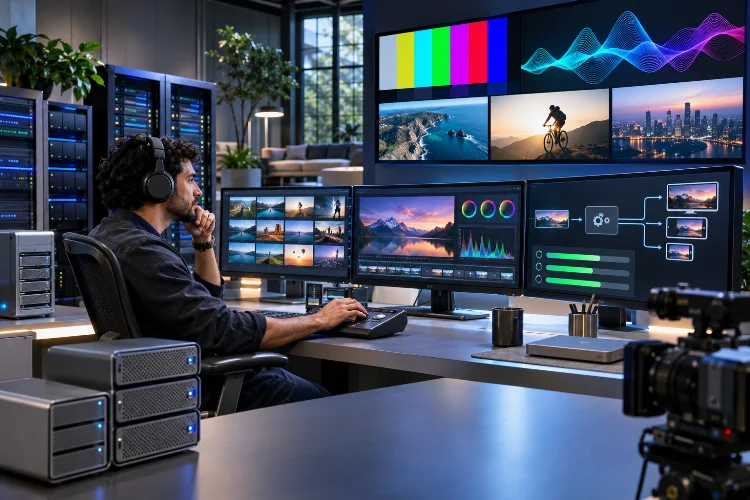
When a streaming service uploads a concert recording, viewers only see the finished video. They don’t see the source file being checked, encoded into several qualities, packaged for playback, and pushed toward delivery systems.
Multiply that process by thousands of clips, episodes, and live-event replays, and small inefficiencies quickly become expensive. Advanced Media Processing Pipelines give large entertainment platforms a repeatable way to move content from upload to playback.
Instead of relying on disconnected tools and manual fixes, teams can build efficient workflows that protect picture quality, support different devices, and keep publishing schedules predictable.
Why Large Entertainment Platforms Need Structured Media Pipelines
Entertainment companies rarely manage just one type of video. Their libraries might contain feature films, gaming highlights, music performances, interviews, and user-generated content.
Every file arrives with different technical characteristics, including resolution, frame rate, audio format, and compression settings. Processing everything through an identical configuration can create quality problems or unnecessary expenses.
A structured media workflow separates the process into manageable stages.
For example, a typical pipeline might include ingestion, validation, transcoding, packaging, quality assurance, and publishing. Each stage has a specific responsibility and can be monitored independently.
This structure makes problems easier to identify while reducing repetitive manual work.
Building a Reliable Media Ingestion Process
Media ingestion is the first step in preparing content for distribution.
Large platforms need a dependable way to receive incoming files, confirm their integrity, and collect technical information before processing begins.
Inspecting Source Files Before Encoding
The open-source FFmpeg project includes ffprobe, a tool that extracts information about multimedia streams.
It can identify codecs, container formats, frame dimensions, and other properties needed for processing decisions.
Imagine a streaming company receiving 2,000 videos from different content partners.
Some files might contain unsupported audio tracks, missing metadata, or unexpected resolutions.
Automated inspection helps identify these issues before expensive transcoding jobs begin.
A practical ingestion workflow should also verify file completeness and detect duplicate uploads where possible.
Failed files can be moved into a review queue instead of blocking unrelated content.
This prevents minor issues from creating larger production delays.
Optimizing Video Transcoding for Different Devices
One video format rarely delivers the best experience across every device.
A high-resolution television can display detailed visuals, while a smartphone operating on mobile data may need a smaller stream.
Transcoding prepares suitable versions of the original content.
Using Adaptive Bitrate Encoding
AWS Elemental MediaConvert supports automated adaptive bitrate, or ABR, configurations that select appropriate output renditions based on source characteristics.
These renditions provide playback options at different quality levels.
For example, a 4K concert recording could be processed into several resolutions suitable for different viewing conditions.
Compatible video players can then switch between available versions as network capacity changes.
However, creating more versions doesn’t automatically improve quality.
Every additional rendition consumes processing resources and storage space.
A carefully configured encoding ladder helps balance picture quality, bandwidth consumption, and distribution costs.
Teams should evaluate their actual viewing devices instead of generating unnecessary formats.
Packaging Media for Modern Streaming Delivery
After transcoding, video content must be prepared for compatible playback systems.
This usually involves dividing media into segments and generating manifest files that describe the available streams.
Understanding HLS and MPEG-DASH
Google Cloud Transcoder API supports output formats including HTTP Live Streaming, commonly called HLS, and MPEG-DASH.
These technologies allow compatible players to request media segments through standard HTTP delivery.
For example, a movie platform might generate HLS and DASH outputs to support its intended device ecosystem.
However, playback compatiblity depends on more than the streaming format.
Codecs, digital rights management, audio tracks, and player capabilities also influence whether content works correctly.
Entertainment platforms should define supported device requirements before selecting packaging configurations.
Testing playback on actual target devices helps reveal problems that technical configuration checks may miss.
Organizing Metadata and Content Versions
Large entertainment platforms often produce multiple versions of the same original media asset.
A single movie could have different audio languages, subtitle files, promotional previews, and regional distribution requirements.
Without organized metadata, managing these relationships becomes difficult.
A content management system should connect processed outputs with their original source files.
For example, a master asset identifier can link the original recording to every encoded version and subtitle track.
This makes it easier to update content without losing its processing history.
Teams should also maintain clear naming conventions and seperare temporary processing files from approved publishing assets.
Version records help editors identify which files are ready for distribution.
A consistent metadata structure becomes especially useful when several departments work on the same content library.
Improving Quality Control With Automated Analysis
A successfully completed encoding job doesn’t guarantee that viewers will receive excellent video.
The output might contain visual artifacts, incorrect audio levels, missing frames, or subtitle timing problems.
Quality assurance should therefore be part of the processing workflow.
Using Objective Video Quality Measurements
Netflix developed VMAF, a perceptual video quality assessment method that evaluates encoded video against reference material.
Production teams can use such measurements to compare encoding settings and investigate quality differences.
For example, two encoding configurations might produce similar visual results while generating different file sizes.
A quality metric can provide additional evidence when choosing between them.
However, numerical scores should not replace human inspection.
Dark scenes, fast movement, and unusual visual effects may require closer editorial review.
Automated checks can also verify audio track presence, duration, and expected output specifications.
This combination of automated analysis and selective human review makes quality control more manageable.
Controlling Publishing Workflows and Processing Costs
Even an efficient transcoding system can become expensive when thousands of jobs run without clear priorities.
Entertainment platforms should distinguish urgent releases from routine library processing.
For example, a major tournament replay may need immediate publication, while older archive footage can recieve lower processing priority.
Processing schedules can be organized around release deadlines and available computing resources.
Teams should also monitor encoding time, output storage, and content delivery expenses.
Suppose a hypothetical platform processes 10,000 video hours monthly.
If an improved configuration reduces average encoding-related expenses by $0.20 per source hour, the estimated monthly savings would be $2,000, assuming other costs remain unchanged.
Regular cost reviews help identify inefficient jobs and unnecessary output versions.
The goal is building a workflow that grows with the content library without allowing expenses to rise uncontrollably.
Advanced Media Processing Pipelines help entertainment platforms manage large content libraries through organized ingestion, efficient transcoding, reliable packaging, and consistent quality control.
A strong workflow doesn’t simply process videos faster. It also improves publishing reliability and reduces unnecessary operational work.
Before expanding your media infrastructure, review your current processing stages, eliminate repetitive tasks, and test output quality across supported devices. Better pipelines create better viewing experiences.